Purchase requests
What it does
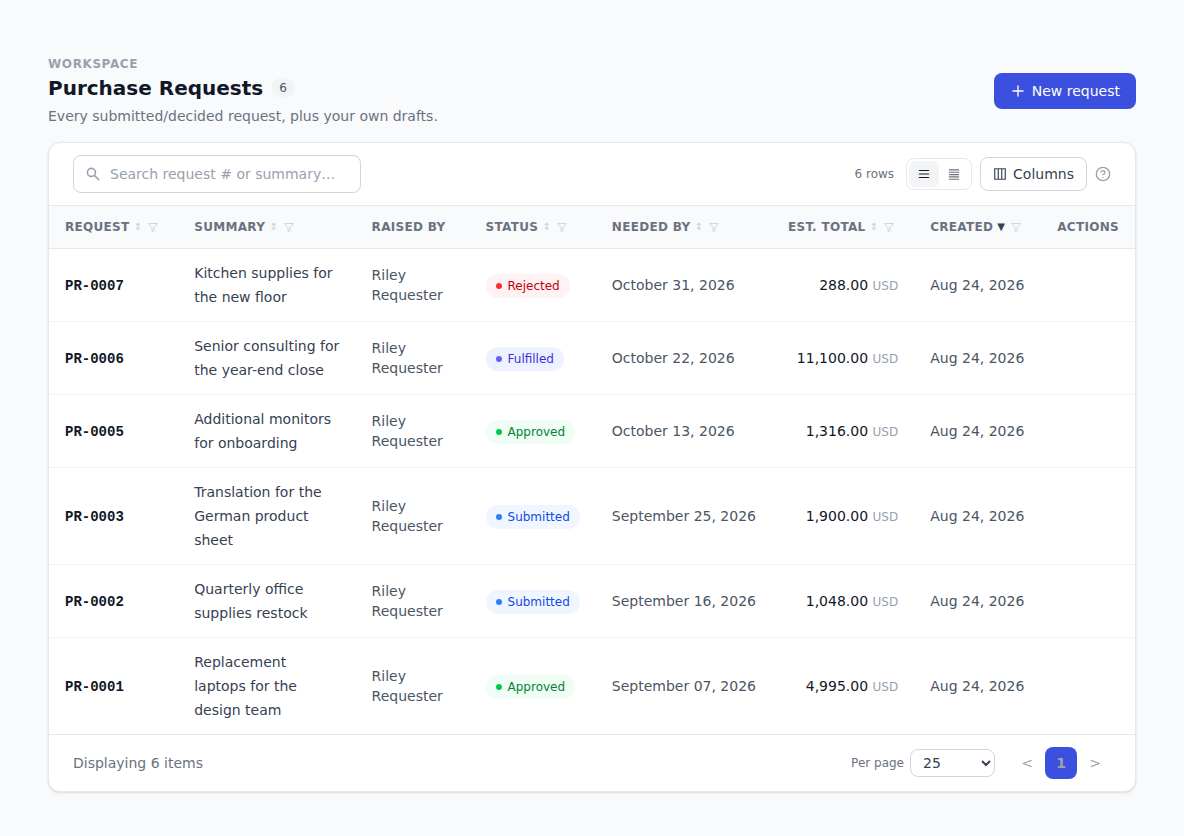
A purchase request is how anyone at your company asks to buy something. You describe what you need and why — you don't need to know who sells it or what it costs. Someone reviews it, and if it's approved a buyer turns it into a real order with a vendor.
How to use it
Raise a request
- Click Purchase Requests in the sidebar.
- Click New request.
- Fill in Summary — a short line like "Standing desk for design".
- Fill in Business justification — why you need it.
- In the first line row, fill in What's needed and Qty (est.). If you have a rough price, add it under Est. unit price (optional).
- Add more lines if you're asking for several things.
- Click Create request.
Your request is saved as a Draft and gets a number like PR-0001. Nobody is asked to review it yet.
Send it for review
Open the request and click Submit for review. It moves to Submitted and the right people are asked to approve it.
Withdraw a request
Changed your mind? Open the request and click Withdraw, then confirm. It becomes Cancelled.
If your request is sent back
If a reviewer rejects it, a banner appears on the request telling you it was sent back and by whom.
- Read the banner to see what needs changing.
- Click Revert to draft and confirm.
- Edit the request.
- Click Submit for review again.
What happens after approval
An approved request shows Approved — awaiting fulfillment. A buyer at your company then:
- Opens the request and starts a purchase order from it.
- Picks the Vendor — the request's lines come across automatically, marked From PR-0001.
- Adjusts prices and quantities and clicks Create PO.
Your request then reads Fulfilled, with a link to the purchase order so you can follow it.
Troubleshooting & Help
- Your request is stuck on Draft. Drafts aren't sent anywhere. Open it and click Submit for review.
- You can't edit a submitted request. Requests lock while they're being reviewed. Withdraw it, or ask the reviewer to send it back, then use Revert to draft.
- You don't know the vendor or the price. You don't need them. Describe what you need and leave the price blank — the buyer fills that in.
- Nothing happened after approval. An approved request waits for a buyer to turn it into an order. Check the request's page for a link to the purchase order.